

Foxit PDF Editor is a comprehensive tool for viewing, creating, editing, managing, and securing PDF files on both Windows and Mac. Available to all EdUHK staff and students, the licence agreement allows each user to access the software on up to two devices concurrently. .
Disclaimer: The provision of Foxit PDF Editor is subject to the licence agreement between the University and service provider, and may be changed without prior notice.
Note:Updates for Foxit PDF Editor are released from time to time. Please ensure you have the latest version installed by clicking the “Update” button on the top right corner. 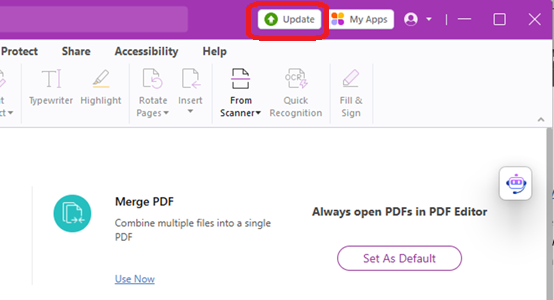 |
Foxit Account Activation
Staff and students can install and use the latest version of Foxit PDF Editor on their devices after activating their Foxit accounts. Please refer to the installation guides below and activate your account here with your EdUHK network account and password.
Installation Guides
- For Windows - Foxit PDF Editor for Windows Installation Guide
- For macOS - Foxit PDF Editor for Mac Installation Guide
Managing Your Foxit Editor Licenses
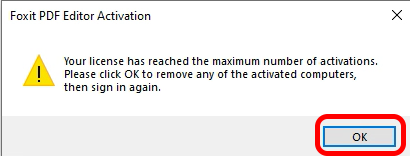
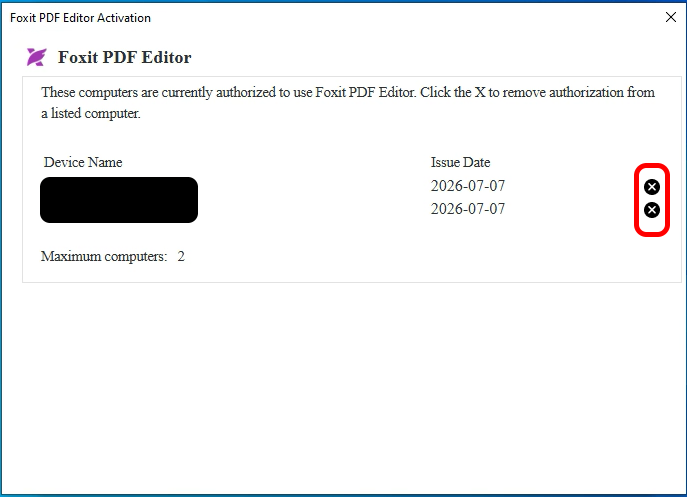
Each user may activate Foxit PDF Editor on up to two devices concurrently. If you attempt to activate the software on a third computer, you will receive a notification that your license limit has been reached. You can manage your licences or deactivate Foxit PDF Editor on devices you no longer use. Please refer to the steps below.
- Click "OK" to close the 'maximum number of activations' popup alert.
- Click the "X" button next to a device you no longer use and close the window.
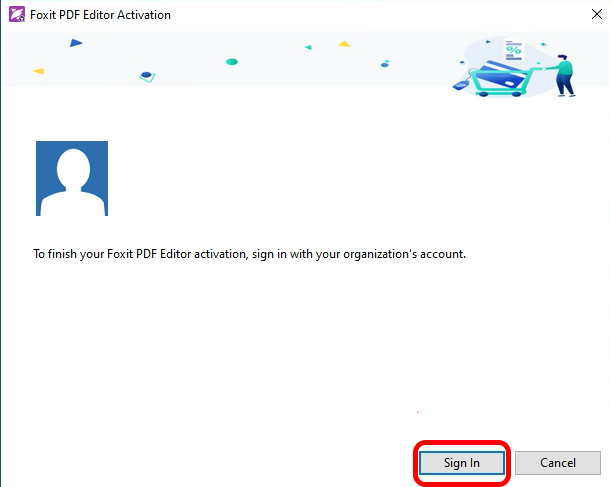
- Click "Sign In", the application will be activated and ready for use on the new device.
Resources for users
Note: The University’s service agreement with PDF-XChange Pro has ended. Users are recommended to uninstall PDF-XChange Pro for security reasons. Please see https://www.eduhk.hk/ocio/content/faq-how-uninstall-pdf-xchange-pro-windows-based-pc for the instructions.